

/)
Other|Other
TEL注 (Telephone Order Service)
Now available in even more departments — shop from anywhere with just a phone call.
What is “TEL注”?
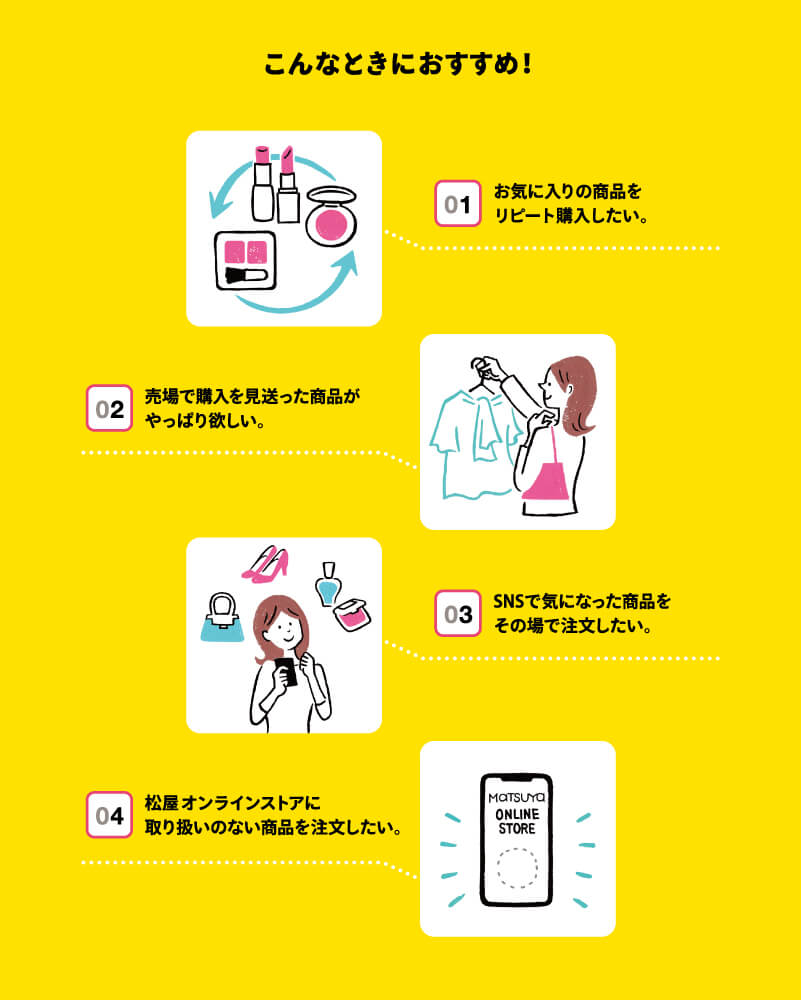
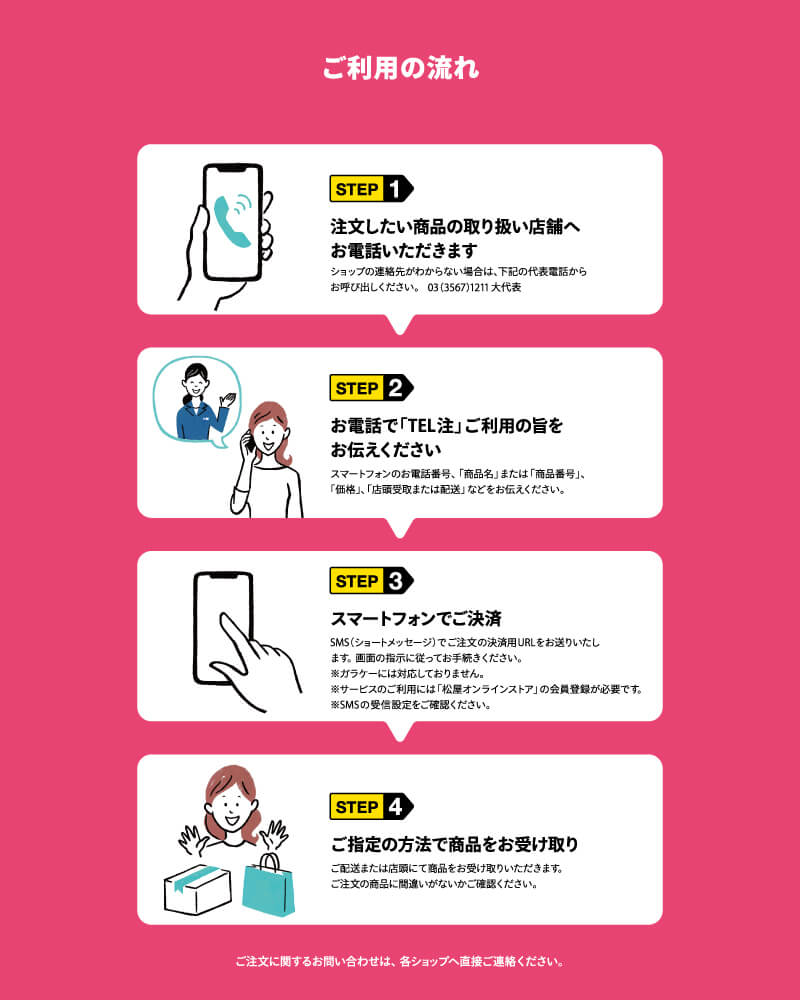
TEL注 (pronounced “Teruchū”) is a remote shopping service that allows you to complete both your order and payment over the phone using your smartphone.
You can purchase a wide range of products available at Matsuya Ginza without visiting the store.
Notes:
Some products and departments are not eligible.
A Matsuya Online Store account is required to use this service.
Orders and payments are processed through the Matsuya Online Store.
Orders can only be placed during business hours on store operating days.
/)
Please note: To use the service, you must register as a member of the 'Matsuya Online Store
/)
Featured Products
Why not use TEL注 to shop for in-store items — anytime, anywhere — from your smartphone?
TEL注 — Frequently Asked Questions
Q. How is this different from the online store?A. TEL注 lets you order items not available on the online store, including department-specific selections.
Q. What payment methods are accepted?
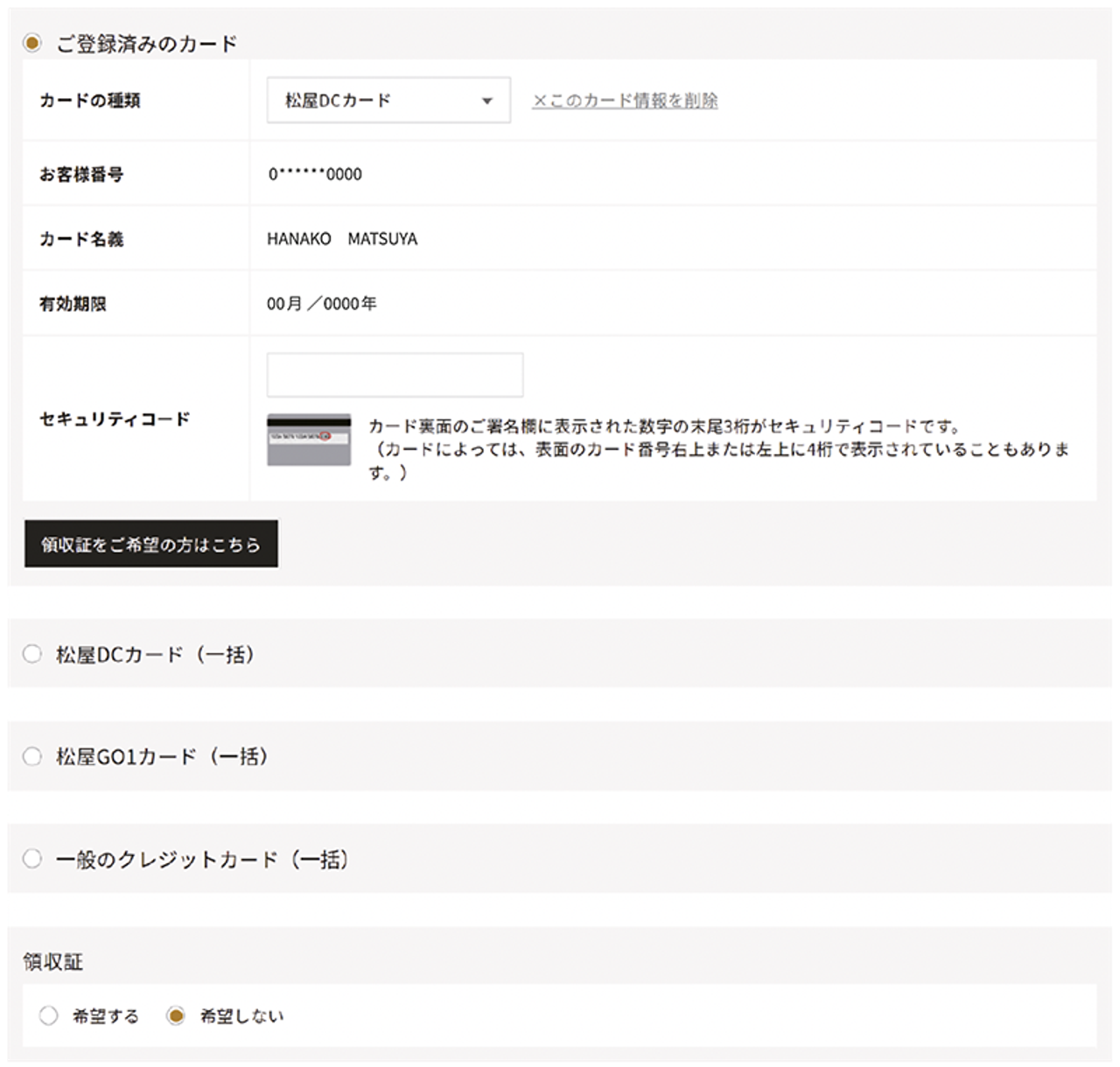
A. Only one-time payment by credit card is accepted.
If you're purchasing eligible items with your Matsuya Card, member discounts will apply.
Please note that other cards such as:
Matsuya Tomo no Kai Card
Matsuya Temporary Privilege Card
Shareholder Privilege Card
cannot be used for this service.
Q. Where will the items be delivered?
A. Items will be shipped to the address registered to your Matsuya Online Store account.
Q. How much is the shipping fee?
A. Shipping fees vary depending on the product and delivery location.
See shipping details
Q. How long does shipping take?
A. If you complete your payment on the same day you place your order, the item can be shipped as early as the following afternoon.
Same-day shipping is not available.
Shipping may be delayed due to high in-store traffic or external factors such as severe weather.
Q. Can I specify the delivery date and time?
A. Yes, date and time specification is available. Please ask a sales associate for details.
Q. Can I receive a receipt?
A. Yes. Select “Request Receipt” during checkout.
You will be able to download your receipt by visiting your Online Store My Page > Order History after 10:00 AM the next day and clicking the “Download Receipt” button.
Q. Is there a time limit for completing the purchase?
A. Yes. Please complete your purchase by the deadline indicated in the SMS (text message) you receive.
If the deadline passes, the order will be automatically cancelled.
TEL Order: How to Use the Service
To use the TEL Order service, you must first register as a new member of the Matsuya Online Store (free of charge).
Click here to register the Matsuya Online Store
Click on the above link "Click here to register as a new member of the Matsuya Online Store."
Enter your email address and submit.
A confirmation email will be sent to your registered email address. Click the URL in the email and enter your customer information.
Confirm the information you entered, and if there are no mistakes, click the “Submit” button to complete your registration.
How to Place an Order via TEL Order
① When you provide your order details over the phone, a purchase URL will be sent via SMS (short message).
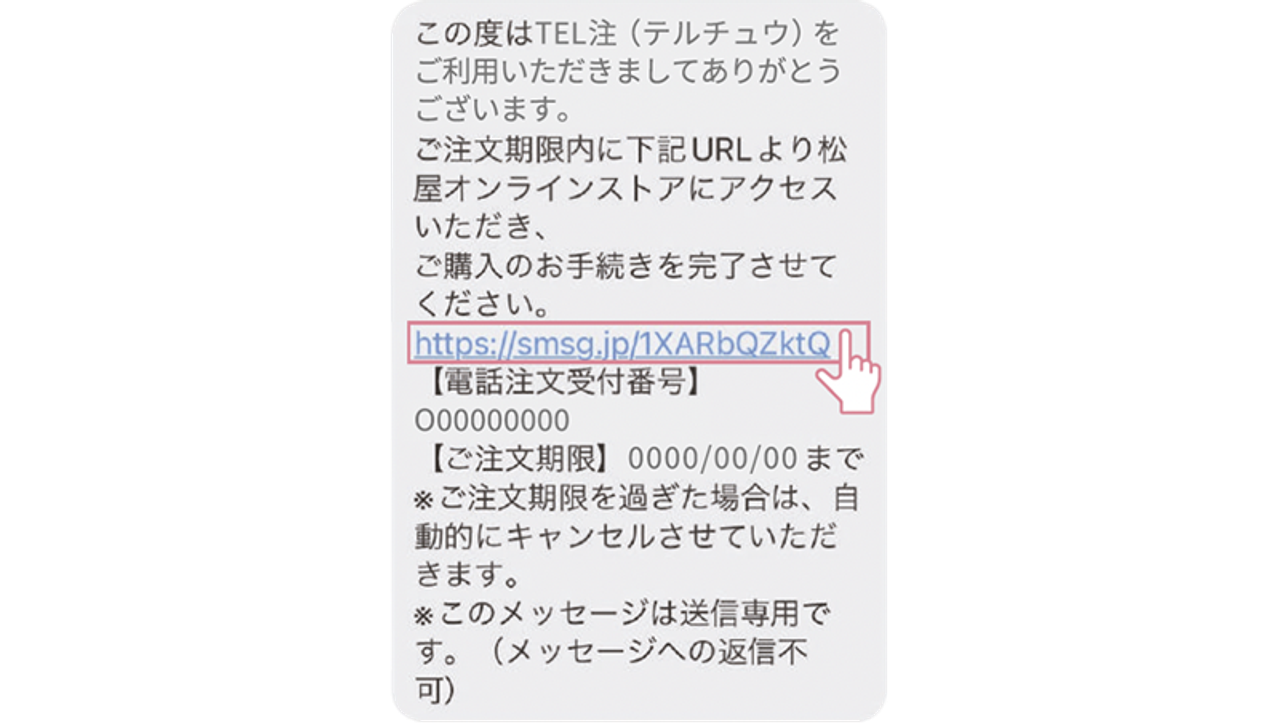/)
② Tap the purchase URL to move to the shopping cart.
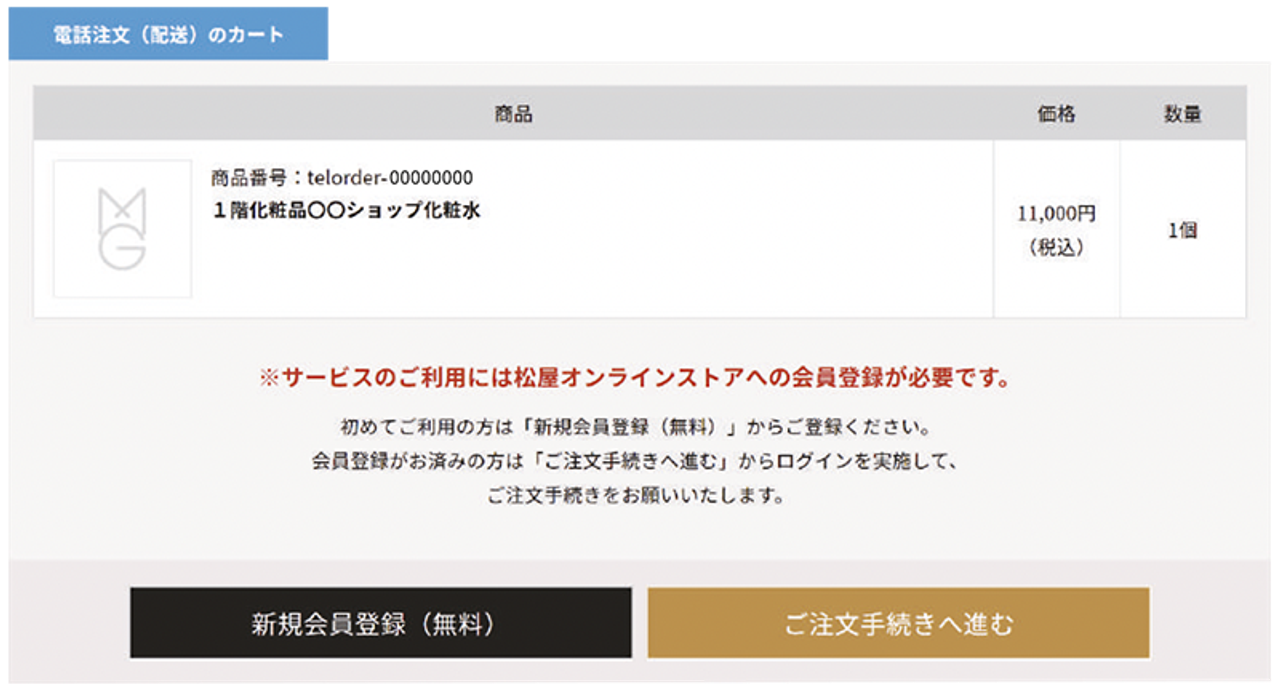/)
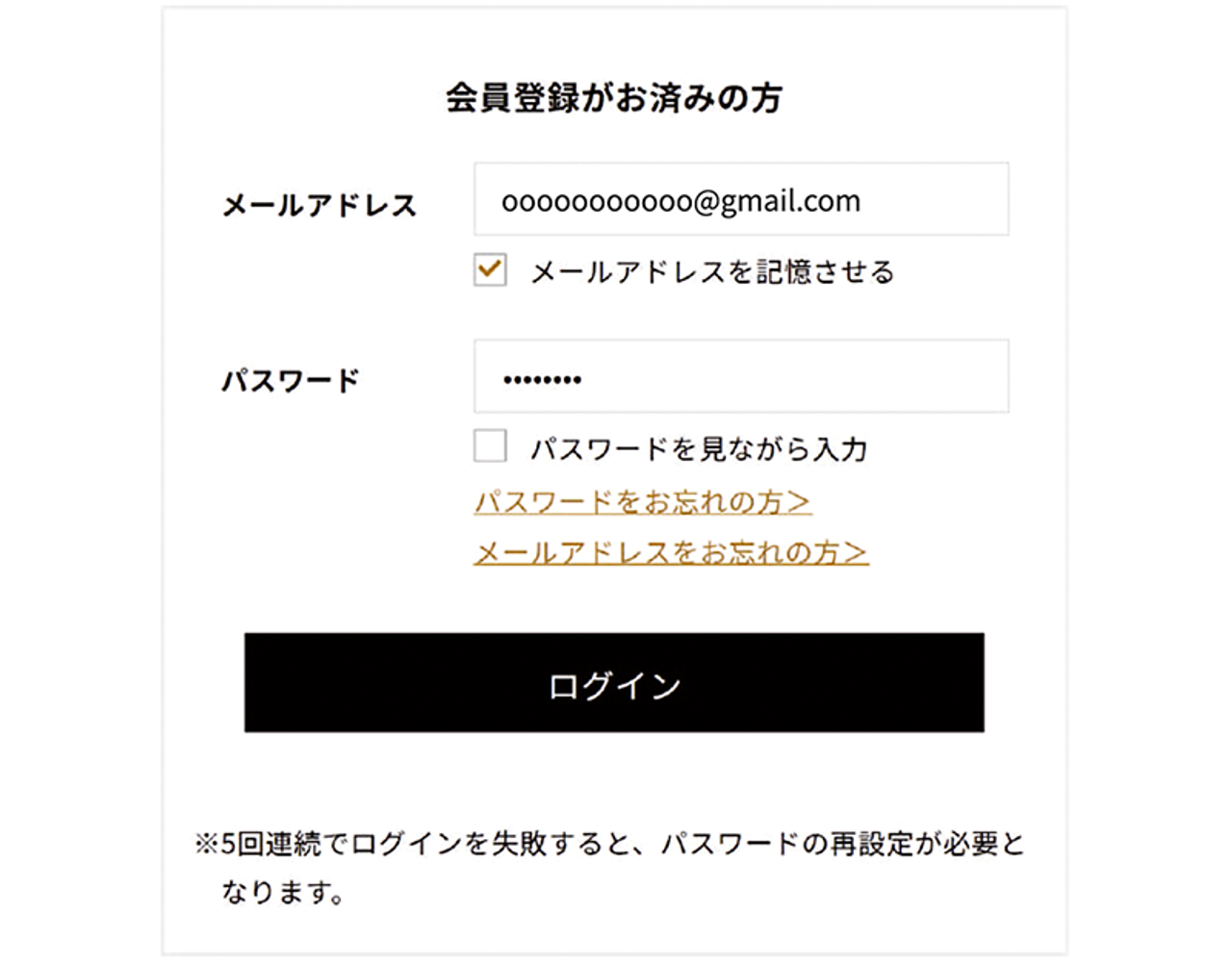
③ Enter the email address and password you set during member registration and log in.
If you have not yet registered, please complete your member registration first.
/)
④ After confirming the product and shipping details, select a payment method.
※ The order process will go through: “Product Settings” → “Delivery Settings” → “Payment Method Confirmation”.
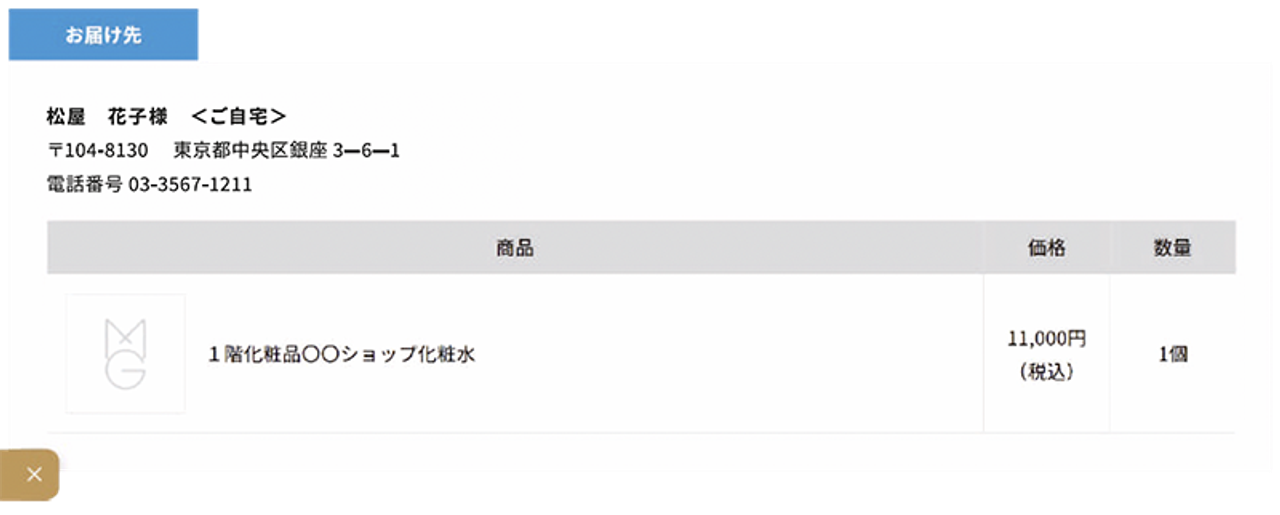
Product Settings
Please check your order details.
Note: You cannot change the product or quantity on this screen.
/)
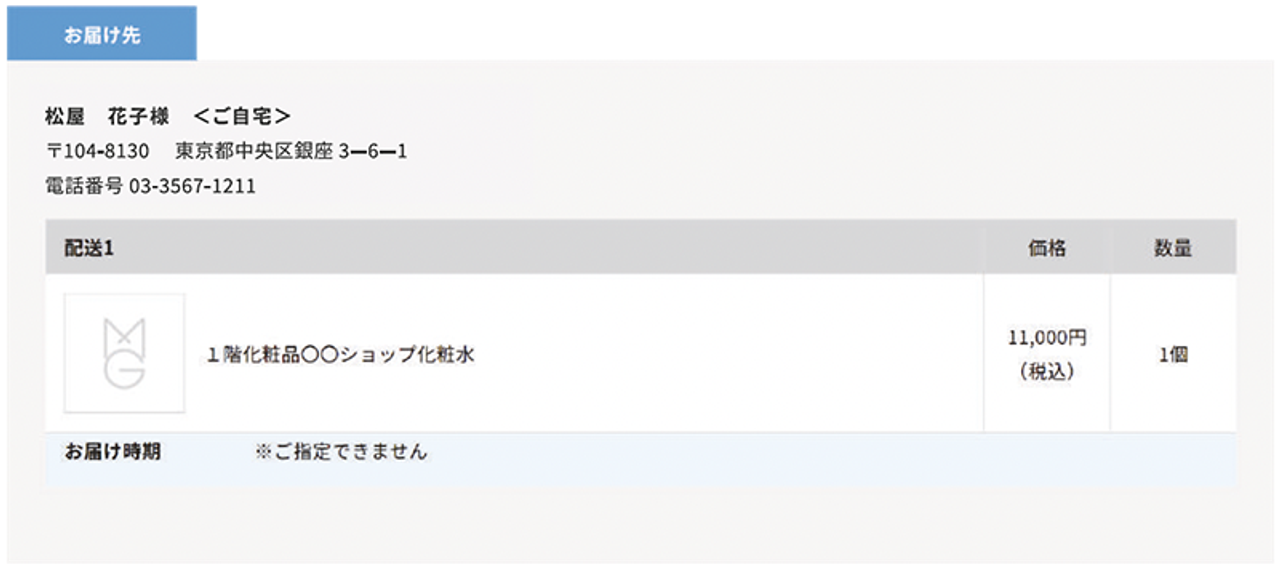
Delivery Settings
Please check your delivery address.
Note: You cannot change the delivery address or specify the delivery date on this screen.
If you wish to specify a date, please contact the sales floor where you placed the order.
/)
Payment Method Settings
Please choose your preferred payment method from the options provided.
/)
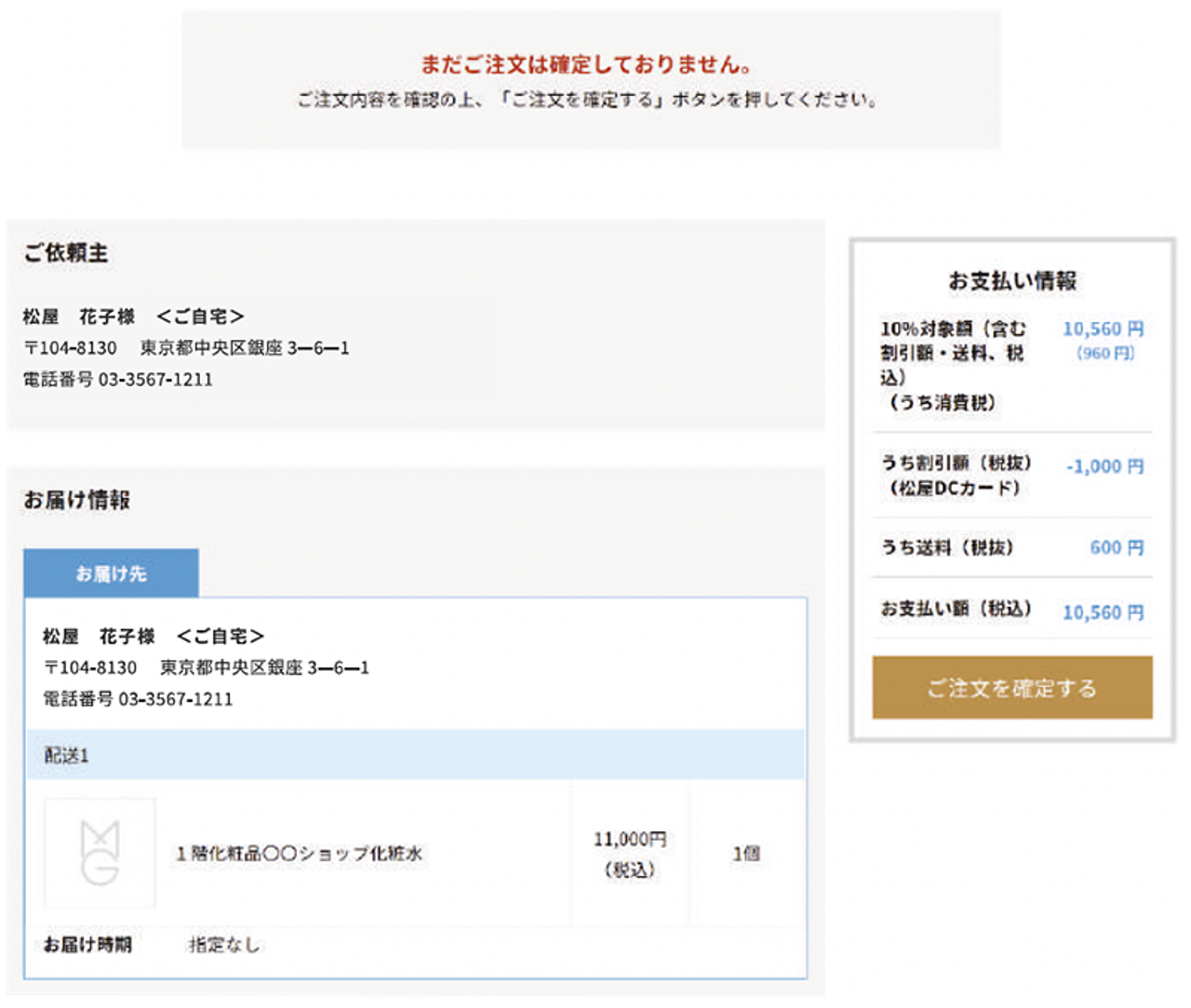
⑤ Confirm Order Details
Please confirm that there are no mistakes in your order, then click "Confirm Order".
Confirm Order Details
/)
/)
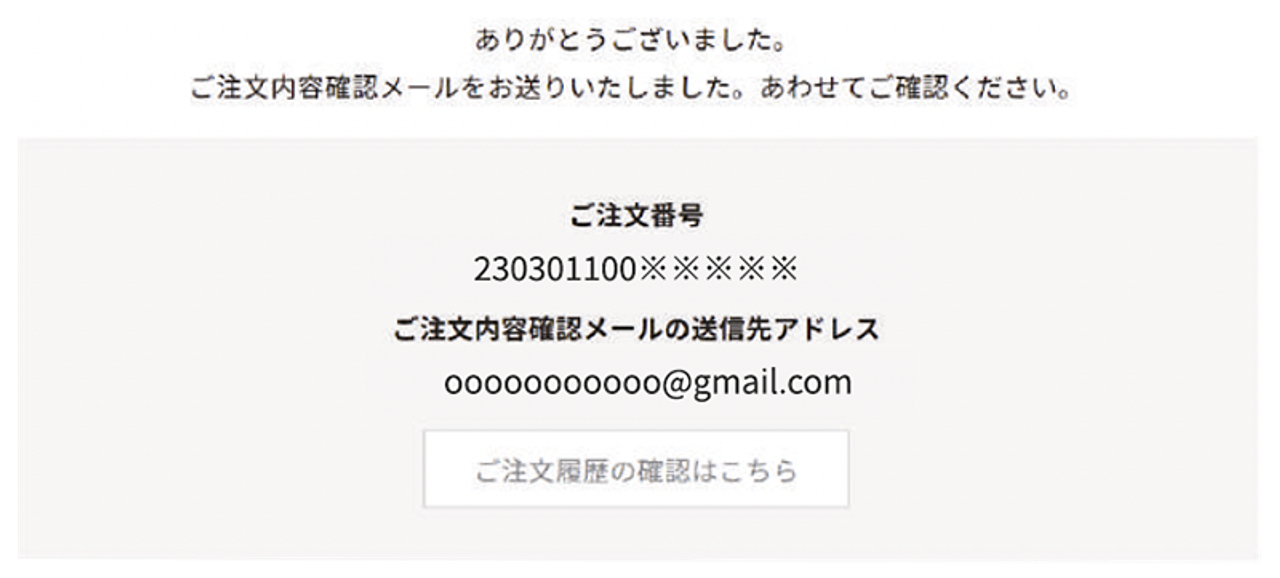
⑥ Order Complete
Once your order is complete, a “Order Confirmation” email will be sent to your registered email address.
Order Complete
/)
